

TECNO PASSKEY

Price: $110,000.00
Tax included
 

Let your customers sign in with fingerprint, face or PIN.

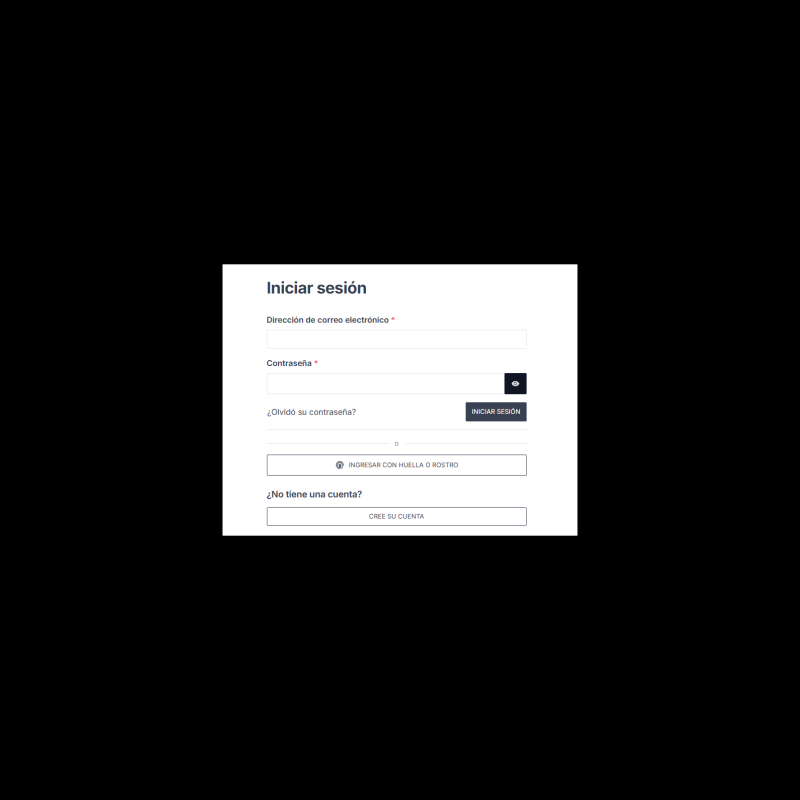
Passwordless sign-in with passkeys (WebAuthn): the customer activates their device once and then signs in with a touch. No external services.

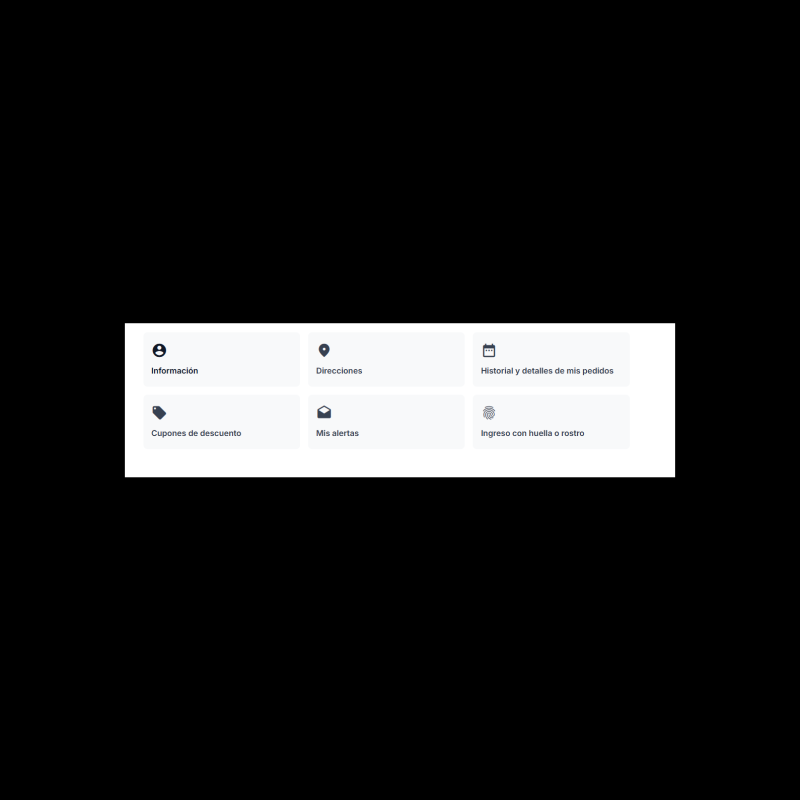
  • Button on the login screen and setup from My account.
  • Biometrics never leave the device.
  • Works alongside the usual password.
👆 Fingerprint or face sign-in PrestaShop 1.7.6+
ReferenceTECNOPASSKEY
Secure purchase
Protected data
Protected payment

TECNOAMBASSADOR · PRESTASHOP MODULE

Tecno Passkey

Customer sign-in with fingerprint, face or device PIN.

Remembering passwords is what slows sign-in the most. With Tecno Passkey your customers activate their device just once and then sign in to their account with their fingerprint, their face or the phone's or computer's PIN, typing nothing. It uses passkeys (WebAuthn), the standard already used by Google, Apple and banks, and works without external services.
👆 Fingerprint, face or PIN 🔒 No passwords to steal 🌎 English and Spanish

What can you do?


👆 Sign in with a touch

  • The customer activates their device from My account > Sign in with fingerprint or face.
  • Then they see a button on the login screen and sign in with their fingerprint, face or the device's PIN.
  • Works with a phone, a computer or a security key.
  • The usual password keeps working.


🔒 Secure and privacy-friendly

  • Biometric data never leaves the device: your store only keeps a public key, useless to anyone else.
  • There is no password that can be leaked, guessed or stolen on a fake website.
  • If something fails, the customer can sign in with their password.
  • GDPR-friendly: the module's data is included in the export and deleted with the customer's account.


📱 Each customer manages their devices

  • They can activate several devices and name them, for example "My phone".
  • They see when each one was last used and can remove it whenever they want.
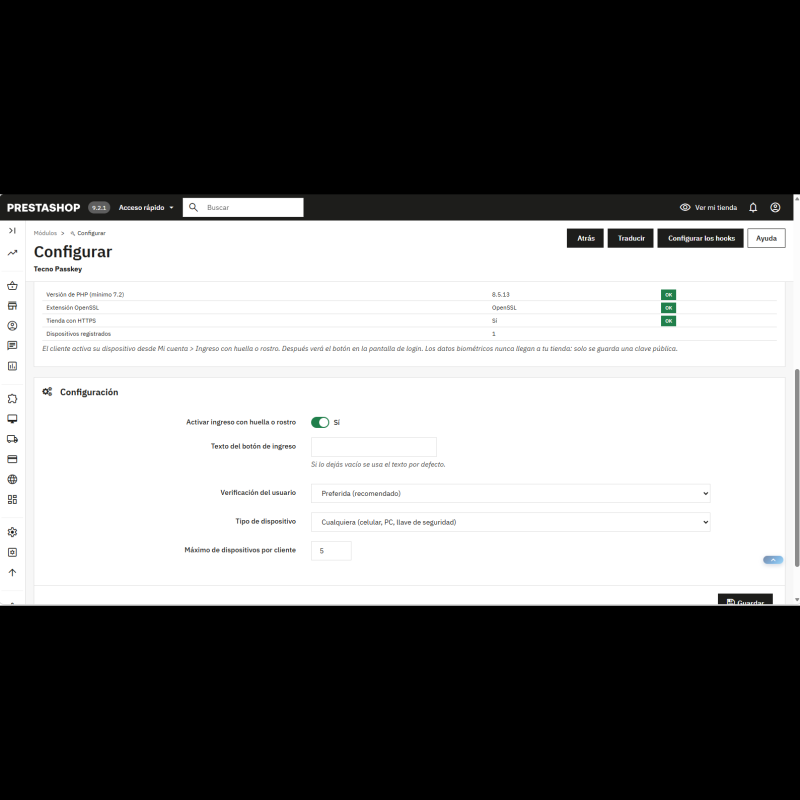
  • You choose the maximum number of devices per customer.


⚙️ A control panel made to fit you

  • Switch to turn passkey sign-in on or off.
  • Device type: any (phone, computer or security key) or built-in only (the device's own fingerprint or face).
  • Required verification (always asks for fingerprint, face or PIN) or whatever the device decides.
  • Button and screen texts of your choice, or the ones the module comes with.
  • In the store, Spanish if the customer browses in Spanish and English for other languages. Panel with an Auto / ES / EN selector.
 

✅ Benefits

  • Fewer abandoned carts because of "I forgot my password".
  • A faster and more secure sign-in than any password.
  • No external accounts or services to sign up for.
 
Requirements
  • PrestaShop 1.7.6 or higher, with PHP 7.2 or higher and the OpenSSL extension enabled.
  • Store with HTTPS, because browsers only allow passkeys on secure connections.
  • The customer needs a browser and device that support passkeys. If they don't, the module tells them and they can use their password.
  • Passkey sign-in is an alternative to the password: the customer first signs in with their password to activate their device.

  • Reference
    TECNOPASSKEY
Loading...
Back to top