TECNOAMBASSADOR · PRESTASHOP MODULE
Tecno Mail
Write and send emails right from your PrestaShop back office.
|
| Reply to your customers without leaving your store. Tecno Mail adds a floating button across the whole back office: one click opens a full compose window that sends using the email settings your store already has. No external services and no extra mail account to set up. |
| ⚡ Shortcut Ctrl + Alt + M 🔒 No external services 🌎 English and Spanish |
What can you do?
|
| |
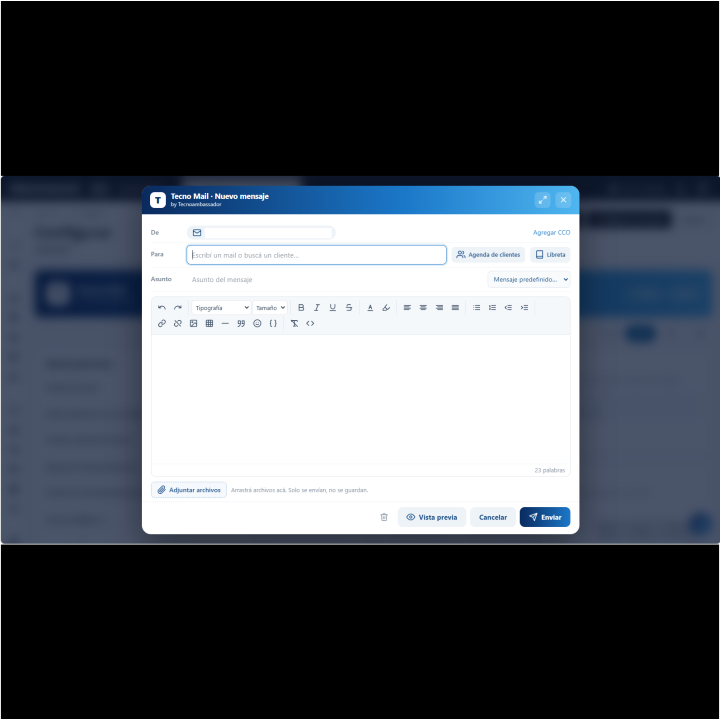
✉️ Write and send in seconds
- Floating button on any back office screen, or use Ctrl + Alt + M.
- The window opens on top of what you're doing: you never lose your place.
- Sent with PrestaShop's native mail (PHP mail or SMTP, whichever you already use).
|
|
| |
| |
👥 Recipients without mistakes
- Search your customers by name, email or company, or type an email by hand.
- Multiple recipients in the same send, with blind copy (BCC).
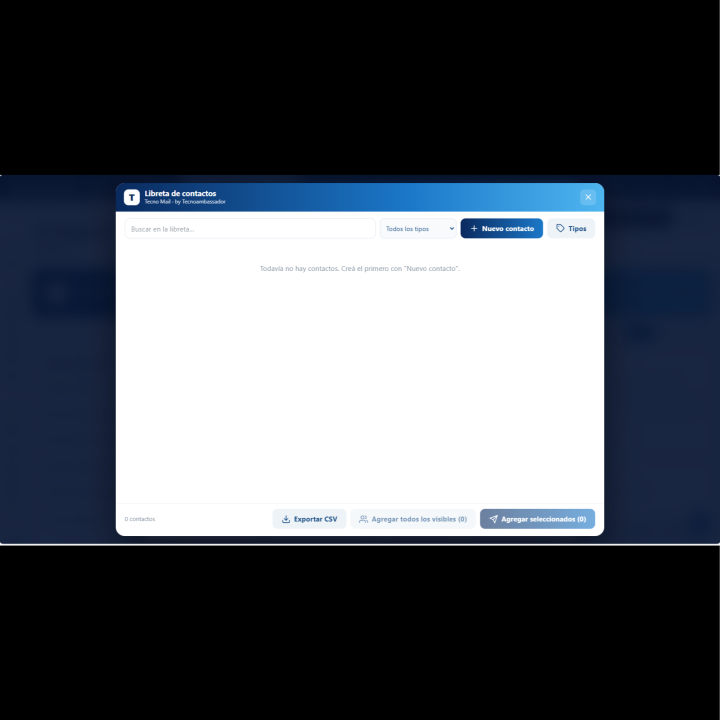
- Your own address book for non-customers: suppliers, wholesalers, distributors, etc.
- Each contact holds a first name, last name or company, two emails, mobile, notes and a company type that you create.
- Filter by type and add the whole group to an email with one click, ideal for mailings.
- Exclude contacts from bulk sends and export the address book to CSV (Excel).
|
|
| |
| |
💬 Predefined messages
- Save your most-used replies (order in preparation, order shipped, delivery delay, thank you...) and load them with one click.
- Variables like {firstname} and {shop_name}: each customer gets the email with their own name.
- Configurable automatic signature.
|
|
| |
| |
🎨 Modern, full-featured editor
- Fonts, sizes, bold, italic, underline, colors and highlight.
- Alignment, lists, links, images by URL, tables, quotes, emojis and HTML code view.
- Preview the email before sending it.
- Choose which buttons show in the toolbar, plus the fonts and the colors of the palette.
|
|
| |
| |
📎 Attachments that are never stored
- Attach files or drag them into the window.
- Files are only sent: they are not saved on your server.
- Limit the number, size and allowed file types (executables are blocked by default).
|
|
| |
| |
📡 Always know what's happening
- Progress window showing each step (uploading attachments, validating, sending) and the result per recipient.
- If any fail, you return to the message with only the remaining ones and retry.
- Your draft is remembered if you close the window: you never lose what you wrote.
|
|
| |
| |
⚙️ A control panel made to fit you
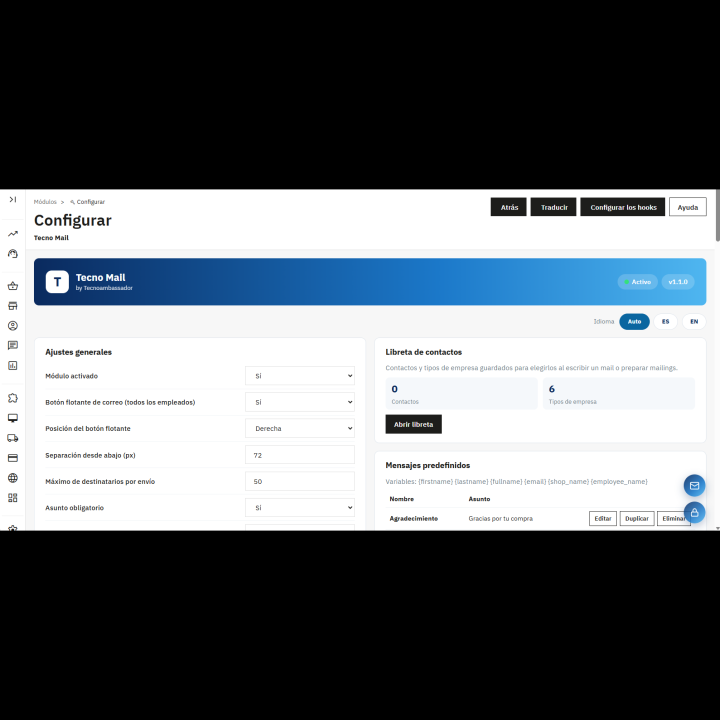
- Floating button: choose whether it sits on the right or the left, and how high.
- Who can use it: choose by employee profile.
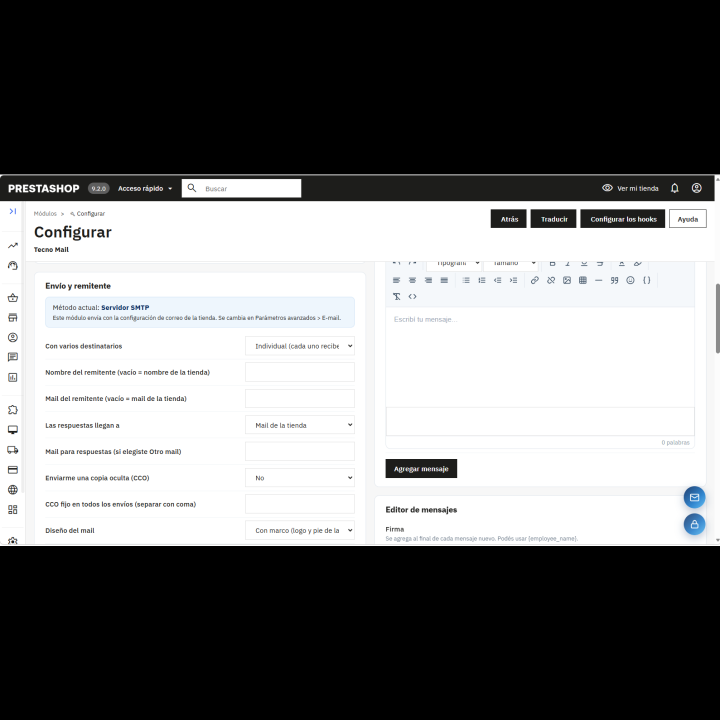
- Sender, where replies go, fixed BCC and email design (with the store's logo and footer, or plain).
- Hourly email limit per employee.
- Send log with date, employee, recipients and subject. It never stores the content or the attachments.
- One-click test send to check that everything works.
- Panel available in English and Spanish.
|
|
| |
✅ Benefits
- One single place for all your customer service emails.
- Save time with ready-made, personalized messages.
- More security: no external services, access control by profile and a record of everything sent.
- Mailings to contact groups without leaving your store.
|
| |
Requirements
- PrestaShop 1.7 or higher.
- Email sending enabled in PrestaShop (Advanced Parameters > E-mail).
|