TECNOAMBASSADOR · PRESTASHOP MODULE
Tecno CSS Global
Add custom CSS to your store's whole front office.
|
| Change the look of your store without touching the theme files. With Tecno CSS Global you paste your styles, save them with a name, sort them and turn them on or off one by one. Each CSS can be applied to a specific theme and only on mobile, only on desktop or on both. |
| { } Custom CSS 🎚️ Switch on one by one 🌎 English and Spanish |
What can you do?
|
| |
📝 Paste your CSS and save it with a name
- Each CSS has a name, so you can find it easily later.
- You can add an optional note explaining what it is for.
- If you paste the <style> tags, they are removed automatically when saving.
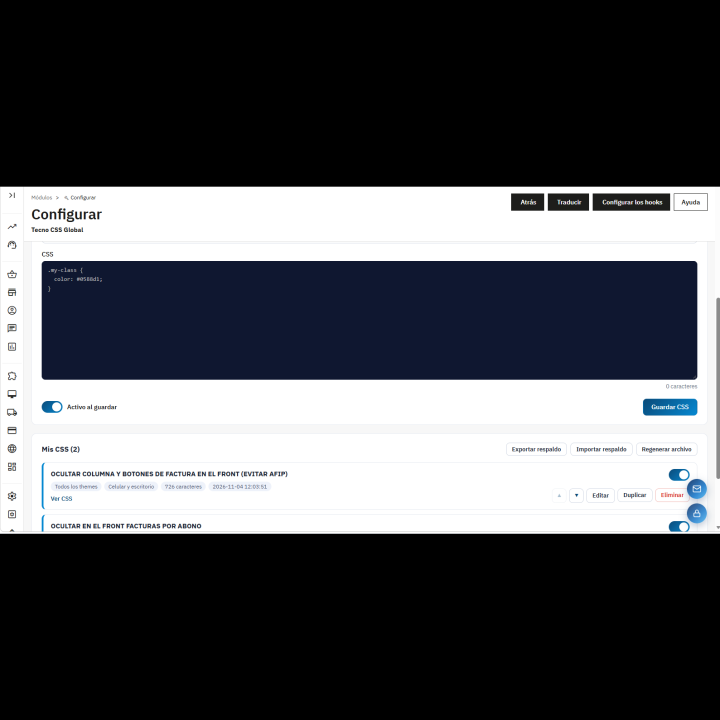
- Edit, duplicate or delete whenever you want. The copy of a CSS is left disabled so you can test it safely.
|
|
| |
| |
🎚️ Switch on and off one by one
- Switch on each CSS to turn it on or off with one click.
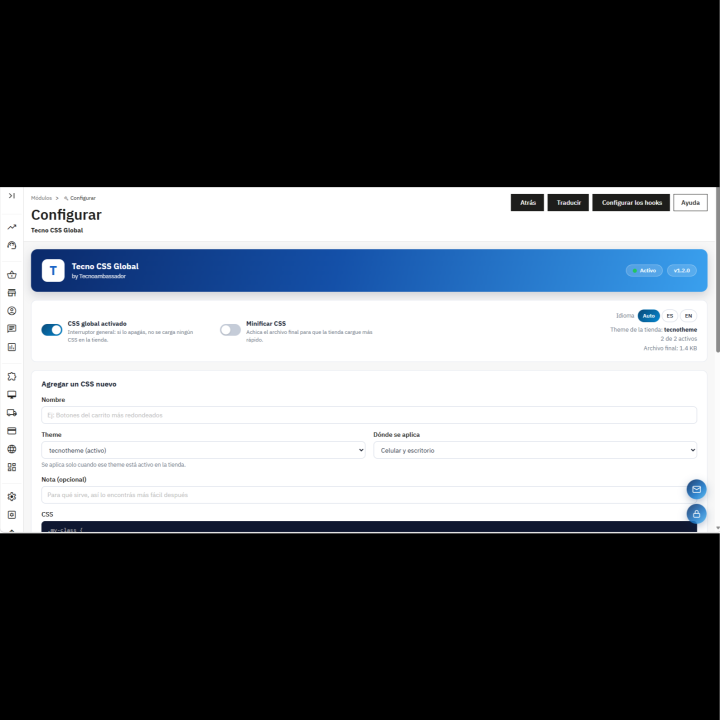
- Master switch: if you turn it off, no CSS is loaded in the store.
- “My CSS” list with the status of each one, the number of characters and how many are active.
- “View CSS” option to read the code without opening the editor.
|
|
| |
| |
🎯 Choose where it applies
- By theme: for all themes or only one of the installed ones, which applies only when that theme is active.
- By device: mobile and desktop, mobile only or desktop only.
- The list warns you if a CSS doesn't apply with the current theme or if its theme is no longer installed.
|
|
| |
| |
📑 You control the order
- Move each CSS up or down in the list.
- They load in that order: if two rules clash, the one lower in the list wins.
- Your styles load with top priority, after the theme's styles, so they apply without fighting it.
|
|
| |
| |
✅ Checking as you type
- Warns if there is an unclosed /* */ comment.
- Counts the braces and tells you how many are missing or extra.
- Warns if the parentheses don't match.
- Shows “Structure is correct” when everything is in order.
|
|
| |
| |
⚡ A single, lightweight file
- All your active CSS are merged into a single file, so the store makes just one request.
- Option to minify the CSS to shrink the file and make it load faster.
- Button to regenerate the file whenever you want.
- If the file is lost (for example, when migrating the store), the module regenerates it by itself.
|
|
| |
| |
💾 Backup of your CSS
- Export all your CSS to a backup file (.json).
- Import them into another store or after a migration, without pasting them again one by one.
- The module checks that the file is a valid backup before importing it.
|
|
| |
| |
⚙️ A control panel made to fit you
- Header with the status (active or inactive), the store's theme and the generated final file.
- Add and edit form on the same screen as the list.
- Panel available in English and Spanish, with an Auto / ES / EN selector.
|
|
| |
✅ Benefits
- Customize your store without touching theme files or losing changes when updating it.
- Try and discard changes with one click, without deleting code.
- Everything organized: each adjustment with its own name and note.
- Backup ready to take your styles to another store.
|
| |
Requirements
- PrestaShop 1.7.6 or higher.
- modules/tecnocssglobal/views/css/ folder with write permission, to generate the final file.
- Important: uninstalling the module deletes the saved CSS and the settings. Export a backup before doing so.
|